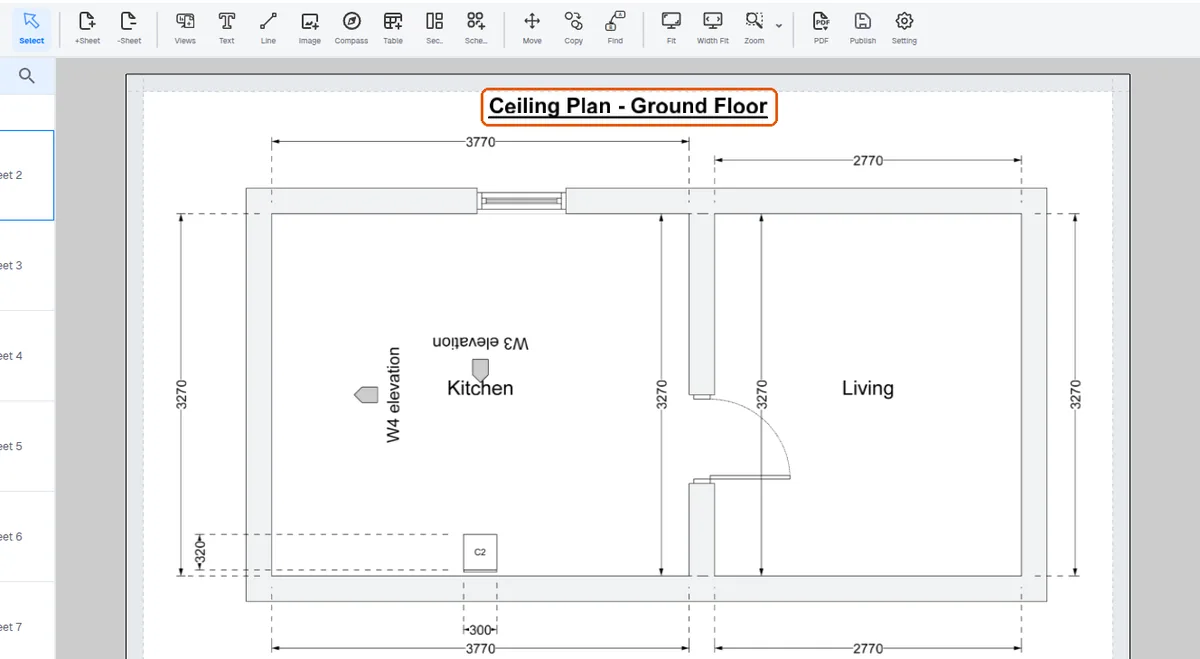
Switch sheet entries on or off in the template
Control which sheet entries the template emits and which rooms the wizard includes.
The sheet entries that can be switched on or off include the key plan, ceiling plan, room schedule, 3D view, base wall loft plan, wall elevation and wall elevation skeleton.
✓ ২০ অক্টোবর, ২০২৬ তারিখে প্রোডাক্টে যাচাই করা হয়েছে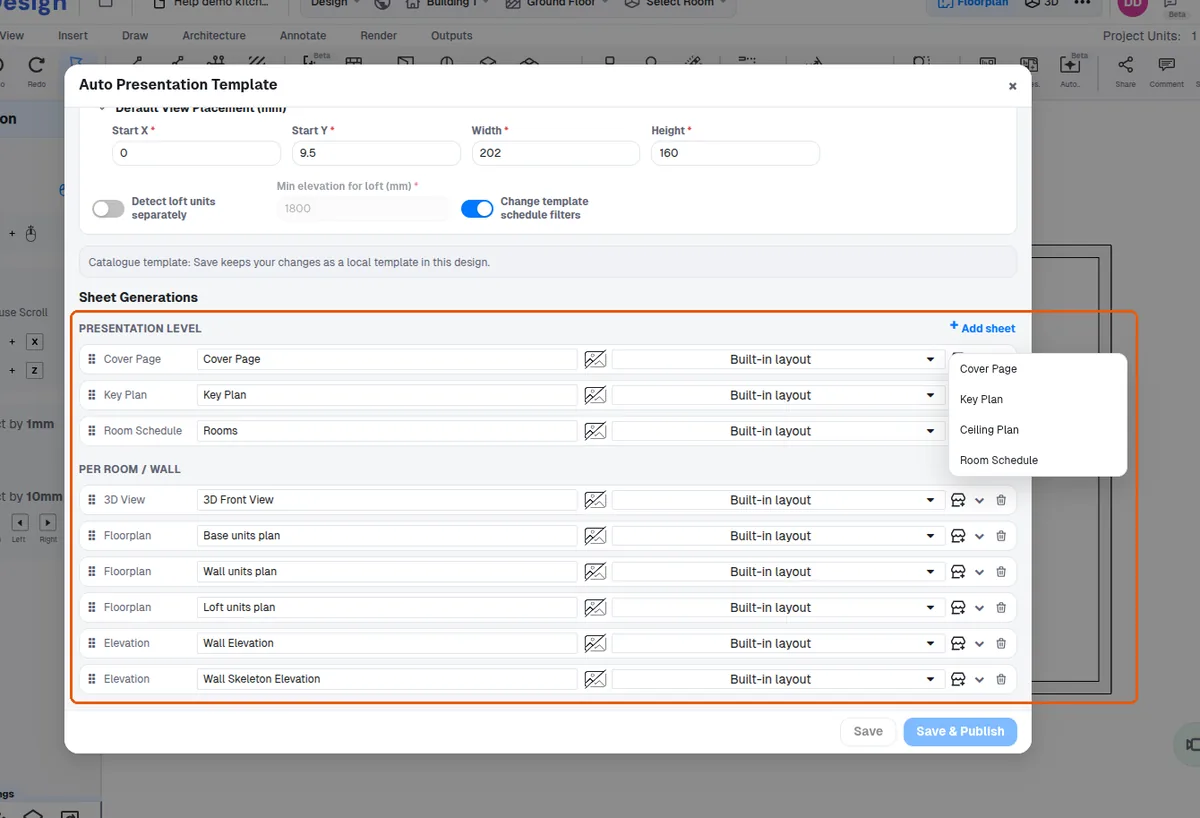
A ceiling plan can be disabled when there is no false ceiling.
✓ ২০ অক্টোবর, ২০২৬ তারিখে প্রোডাক্টে যাচাই করা হয়েছে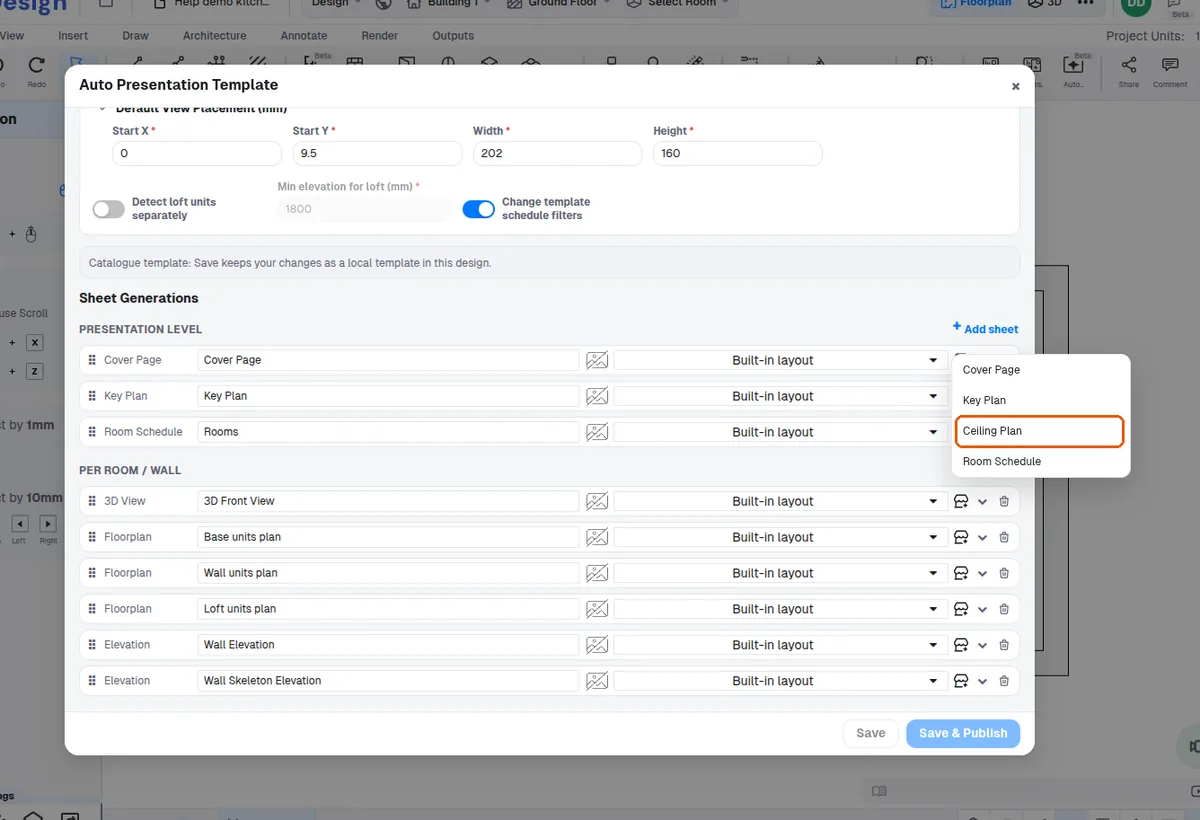
The room-selection step of the wizard controls which rooms are included, and all ro
✓ ২০ অক্টোবর, ২০২৬ তারিখে প্রোডাক্টে যাচাই করা হয়েছে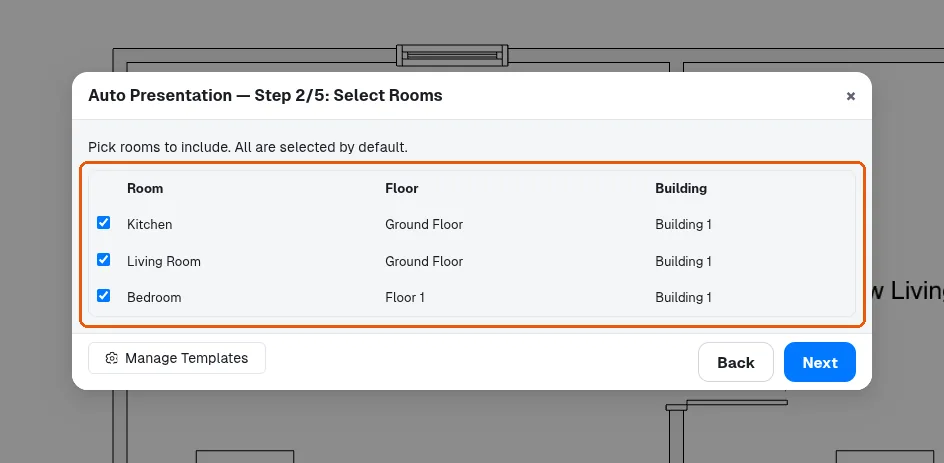
The presentation template chosen and saved becomes the account's default presentation preference, and that saved preference is what the Auto-generate wizard applies to every presentation generated afterwards.
Once the presentation template has been updated, the Auto-generate wizard uses that updated template for any presentation created from that point on, so newly generated decks pick up the new sheet settings.
✓ ২০ অক্টোবর, ২০২৬ তারিখে প্রোডাক্টে যাচাই করা হয়েছে