Clone a SKU group to add sizes, delete unused SKUs
Clone a catalogue group to add SKU sizes and delete the sizes you no longer stock.
To manage SKU sizes in a catalogue group: select the group, use clone group, tick the clone sales channel option, then click clone.
✓ ২১ অক্টোবর, ২০২৬ তারিখে প্রোডাক্টে যাচাই করা হয়েছে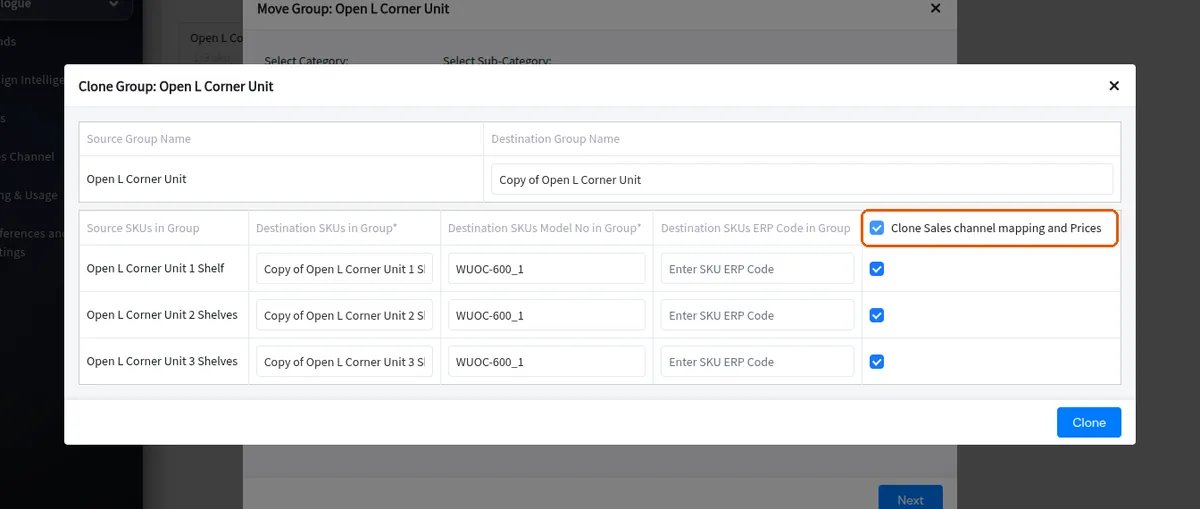
To remove a size you no longer stock, select that SKU from the drop-down, open settings and choose delete SKU.
✓ ২১ অক্টোবর, ২০২৬ তারিখে প্রোডাক্টে যাচাই করা হয়েছে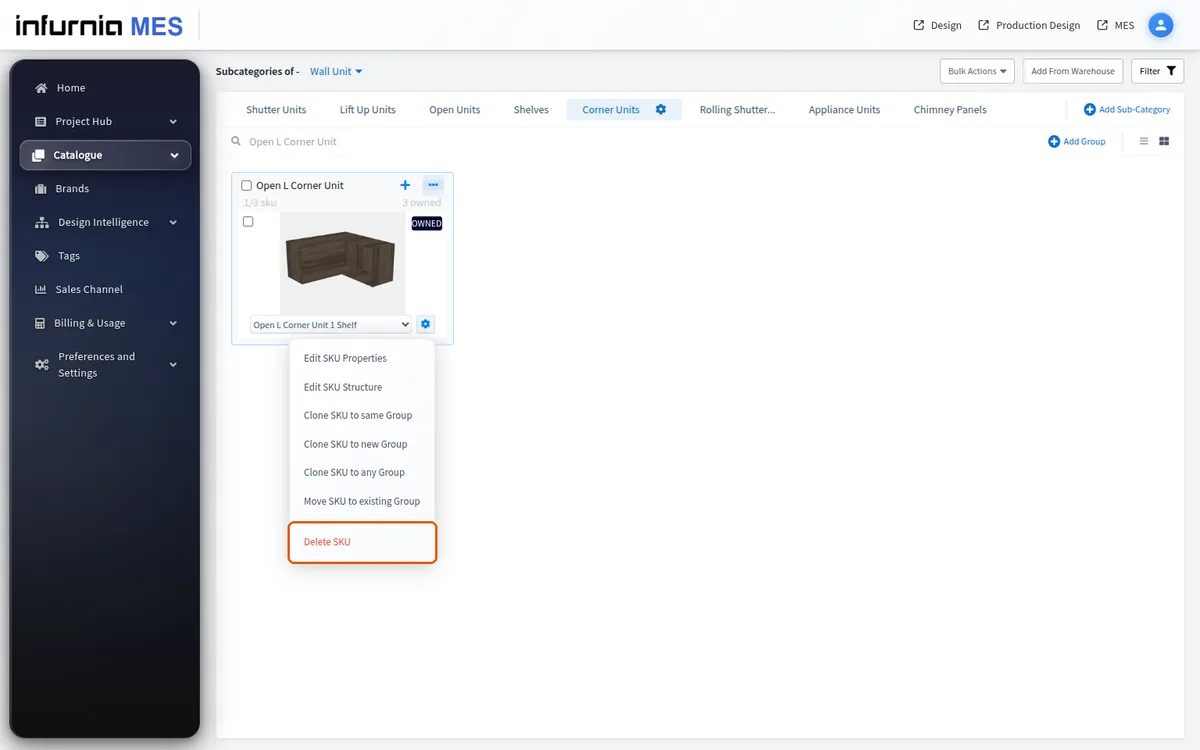
If a size is not in the current list, delete it rather than leaving it, especially when it has no article number; it can be cloned again later when needed.