Bulk edit catalogue pricing via CSV
Download a pricing CSV, edit only the editable values, and re-upload it so your changes are validated against the original snapshot, with Restore available if something goes wrong.
The bulk edit via CSV entry point is reached from the catalogue's bulk action menu, and the same page also offers a Restore action that re-applies the original snapshot as a new attempt if a bulk edit goes wrong.
When downloading the pricing CSV for bulk editing, you can choose to include only entries that already use Custom pricing mode, or all entries (default plus custom).
✓ ১৯ অক্টোবর, ২০২৬ তারিখে প্রোডাক্টে যাচাই করা হয়েছে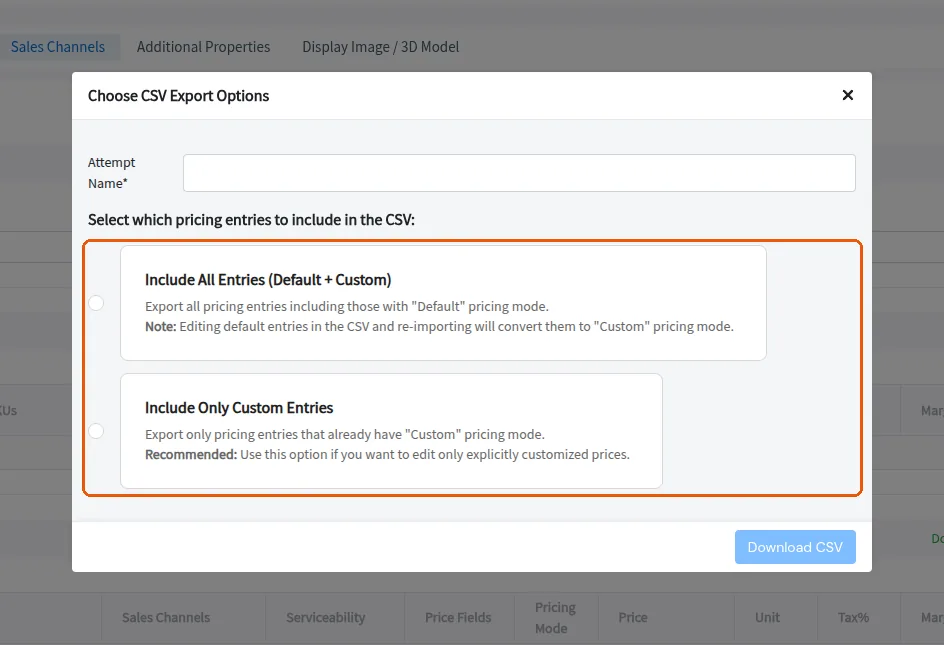
The custom-only option is recommended when you want to edit only explicitly customized prices.
When re-uploading the bulk-edit CSV, keep every column and row exactly as downloaded and change only the editable values.
Keep the existing rows intact and re-upload the same file, since the upload is validated against the snapshot taken when the CSV was generated.