Inspect a composite sheet and keep the board remainder
Open a composite sheet to see its core material and combined pieces, and keep the unused board remainder for other projects.
In the composite sheets view (Board Layout > 'Fractional Sheets' or 'Half Sheets'), opening a composite sheet shows its core material with the thickness (e.g. 'Core Material: 16mm BWR Ply') and a paste guide listing each piece combined on it: its size, the board type and sheet it comes from, and its external side and internal side finishes.
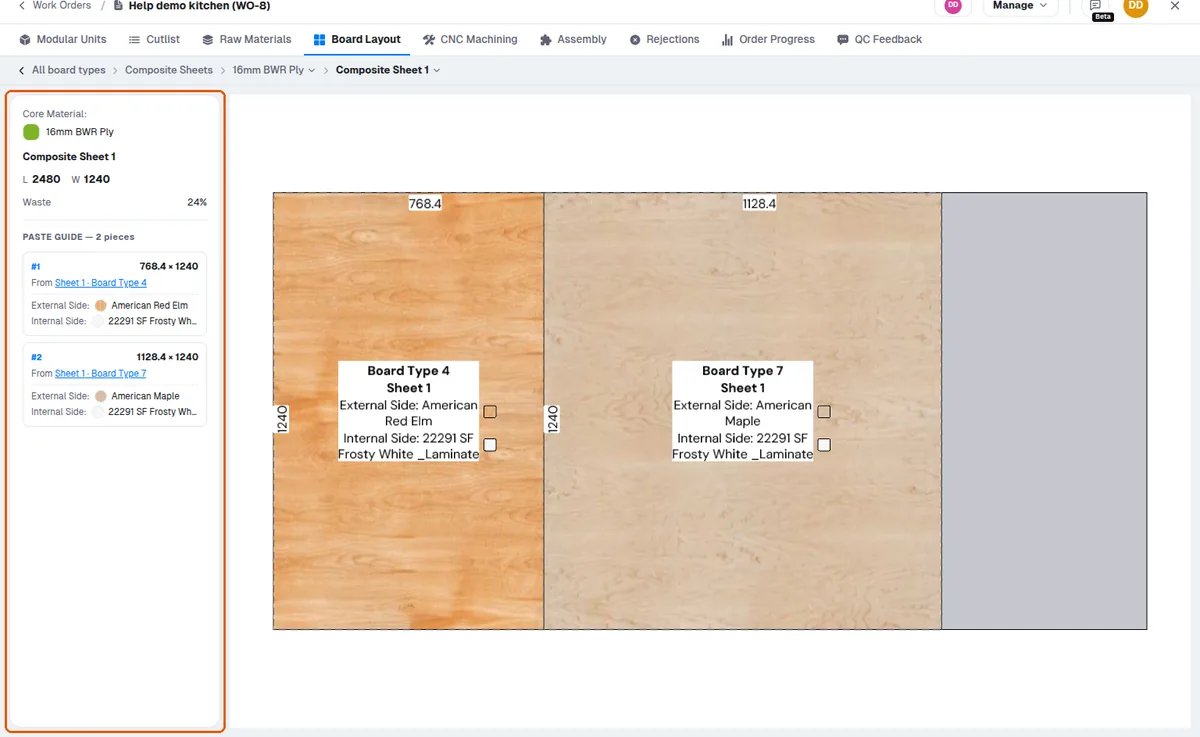
The unused remainder of the board can be kept for other projects.